
Free Invoice Generator UK
Create, Send & Chase Invoices Automatically
Use ANNA’s free online invoice generator to create professional-looking invoices that you can send to your client over email, Whatsapp, or even in a text message – you’ll get a payment link they can use to pay you directly.
Do even more with ANNA business account:
- Seen / paid / overdue status for invoices
- Recurring invoices
- Chase invoices automatically
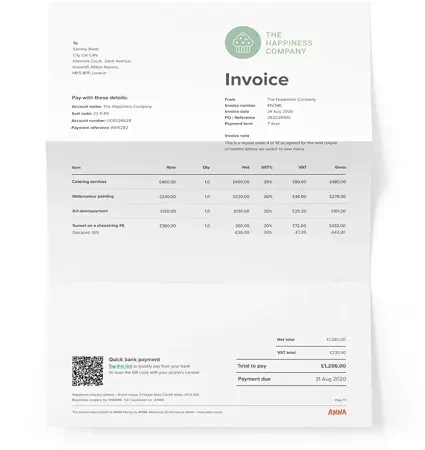
Fill in your invoice details
Every invoice needs four things: your business details and the services you're charging for, your client's details, your payment terms, and your bank or business account details so your client knows how to pay you. Fill out the form below to generate your invoice.

Don’t chase your invoices yourself
With a full ANNA business account, you’ll see when your invoices are seen and paid in real time, and we’ll chase them for you when they’re not. And you won’t have to manually do them each month ever again.
What makes ANNA’s invoice generator different
Create invoices in seconds – no manual work
No need to fill in and format a spreadsheet and then make sure to export it correctly — just tell us the details, upload your logo (if you want to), and ANNA generates a professional-looking invoice for you.
Automatic invoice chasing – get paid without awkward follow-ups
Yes, we can chase your invoices for you — set up a payment due date and we’ll send you reminders, and can also politely message your customer to nudge them so you don’t have to.
Send directly from ANNA mobile or web app – by email, link, or PDF
Enter the payer’s email and they’ll get the invoice in their inbox, or you can download the invoice in PDF and do it yourself; if your business account is with ANNA, just send them your payment link so they can pay you straight away.
24/7 UK-based customer support ready to help you
If you ever need help with your invoices, or any of your business admin, our support team in Cardiff is always ready to help you 24/7, even on Christmas day.
UK invoice requirements – what you must include
Required information for UK businesses
According to HMRC, an invoice must include:
- Unique identification number
- Company name, address and contact details
- Clear description of what you’re charging for
- Company name and address of the customer you’re invoicing
- Date the goods or service were provided (supply date)
- Date of the invoice
- Amount(s) being charged
- VAT amount if applicable
- Total amount owed
Optionally, you might want to include any discounts applied to the owed amounts.
How to handle VAT on invoices
If you are VAT registered, you must use VAT invoices – they are slightly different from non-VAT ones. In the free invoice generator above, you need to simply choose the “Yes, I am VAT-registered” option. If you sign up for ANNA and start using our invoicing feature, you won’t need to do that, as we’ll already know your VAT registration status and will add VAT to your invoices automatically.
Invoice numbering and record-keeping rules
It is important that every invoice you issue carries a number that is consequential to the invoices you issued previously – it helps you, your accountant and HMRC keep a transparent track record of everything you get paid for, and reconcile invoices with payments.
Payment terms and GBP currency
Make sure you state the timeframe you expect the invoice to be paid within, and the currency. ANNA free invoice generator supports issuing invoices in GBP, EUR and USD, but when you log in to ANNA you can use more currencies.
Beyond the generator – full invoicing in the ANNA app
The free invoice generator is great for a quick one-off. But if invoicing is a regular part of your business (it highly likely is), the ANNA app takes the friction out of the whole process – from creating and sending to chasing and getting paid. The more you use it, the more time it saves you.
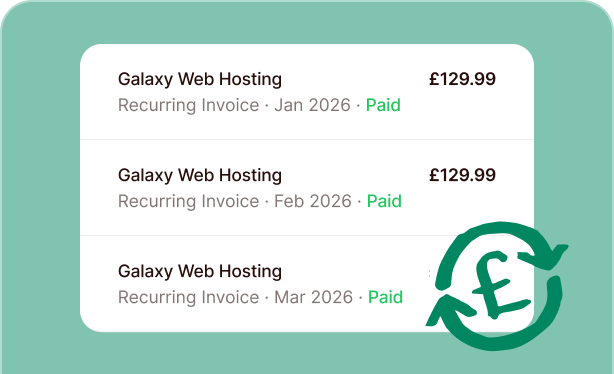
Recurring invoices for retainers and subscriptions
Set up a repeating invoice in ANNA and it goes out automatically on your chosen schedule – same line items, same amounts, same professional look. Perfect for retainer clients, ongoing contracts, and any work where the invoices keep coming.
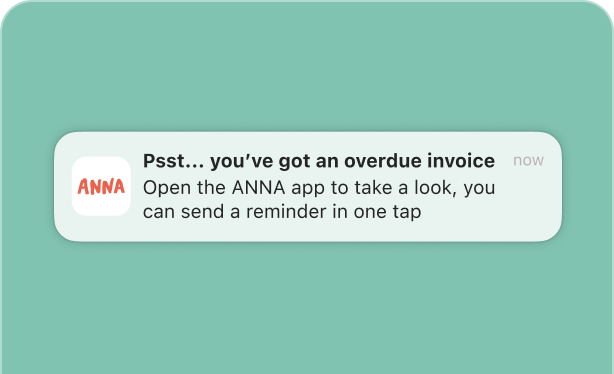
Automatic payment reminders and chasing
When a payment becomes overdue, ANNA sends your client a polite reminder automatically. When they do pay, ANNA reconciles the payment against the invoice and keeps your books tidy in the background.
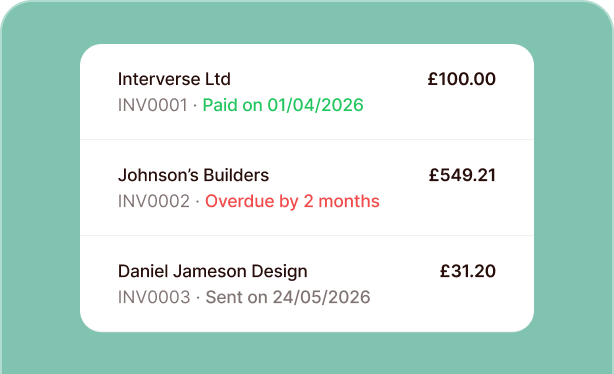
Track invoice status – sent, viewed, paid, overdue
Stop wondering whether your invoice landed. ANNA shows you exactly where each one stands – sent, viewed, paid or overdue – so you always know what’s been dealt with and what needs attention.
Mobile invoicing on iOS and Android
Chat the details to ANNA and the app builds the invoice for you. Already have an old invoice? Upload a PDF or a photo and ANNA will replicate the structure. You can even cc us on an email to a client, and we will create the invoice on your behalf!
Frequently asked questions
An invoice is a document issued by you to your client stating the goods and services you’re providing and how much they owe you. If you and your customer are both VAT registered, it’s a legal requirement to send invoices. But it’s good business practice even if you’re not – an invoice is a reminder of your customer’s obligation to pay you and provides a handy record of your business transaction.
An invoice is a document sent after goods or services have been delivered, formally requesting payment from the customer.
A quote (or quotation) is a preliminary document sent to a potential customer outlining the estimated price for goods or services – it's not binding and subject to change.
A proforma invoice is issued once the price has been agreed: it looks like a final invoice and states the confirmed terms, but is sent before delivery, often to allow the customer to arrange payment or for use in customs documentation.
You can create your first invoice right on this page, and that will automatically create a free ANNA account for you, where you can track your invoices, issue new ones, set up recurring invoices, and see how they are chased. We’d love to point out, however, that ANNA invoicing service works best with an ANNA business account, because we match your issues invoices with incoming payments and make your books tidy and ready for HMRC. You can also connect any business bank account you already have – and we will match the transactions you have there to your invoices issued in ANNA as well.
That said, you can still use ANNA for invoicing only – it is free.
Yes! You can add it here on this page, and you can also set it up for all of the invoices you issue in your ANNA dashboard or your ANNA mobile app when you sign up and create an account.
Yes, you can – in fact, you’re required to do so if you’re registered for VAT. On this page, you can just choose the option “Yes, I’m VAT registered” when creating the invoice, and VAT will be added to the total amount at the end of the invoice, as well as detailed in the amount breakdown. You also choose the VAT percentage to be added to the amounts you specify.
Sure. Our basic online invoice generator supports GBP, EUR and USD, but there’s more currencies when you set up your account (it is free).
Of course – when you create an account with ANNA free invoice generator, your details are saved for all future invoices.
Yes! You can start an account with ANNA, and you’ll be able to create recurring invoices that will be sent to your client as often as you need, including weekly, fortnightly, monthly, quarterly and annually.
Sure – you can either do it from this web page, or get the ANNA mobile app and create invoices from there.
After you create your invoice in the ANNA free invoice generator, you can either download it and send to your client yourself, or send it from your ANNA dashboard – and then be able to view the sent / opened / paid or overdue statuses of your invoice.
Yes! All you need to do is fill in the invoice details and enter your email – then you will see be able to download your invoice or send it to your customer straight away, and you will also be able to check the status of your invoice.